





What is a Zigbee gateway?
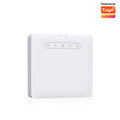
A Zigbee gateway is an essential device for anyone who wants to automate their home using Zigbee technology. It acts as a bridge between Zigbee devices and the local network, making it easier for the various home automation devices to communicate with each other.
The Zigbee protocol
Zigbee is a wireless protocol designed specifically for home automation and widely adopted by many well-known brands such as Philips/Signify, Legrand by Netatmo, IKEA, Lidl, Aqara (Xiaomi) and Sonoff. With so many players on the market, a wide range of products is available at competitive prices, making home automation more accessible to everyone. With a Zigbee gateway, users can integrate and control these different devices from a single interface, such as the Silumen Home app.
The benefits of Zigbee for home automation
One of the main advantages of Zigbee technology is its low power consumption, which beats Bluetooth and, above all, Wi-Fi. Although Wi-Fi is widespread, it uses a lot of energy and is poorly suited to battery-powered devices. The latest generations of Zigbee chips, released since 2021, are even more economical, extending the battery life of connected devices.
Another notable feature of Zigbee is that it works as a mesh network. This means that mains-powered Zigbee modules generally act as Zigbee routers or repeaters. So two devices that are too far apart to communicate directly can go through one or more Zigbee routers/repeaters. This process is completely transparent to the user and considerably extends the range and reliability of communications within the home automation network.
As well as being flexible and robust, this technology is an ideal solution for anyone looking to optimise the energy efficiency and range of their home automation devices.
Manage your whole home with the Silumen Home app
The Silumen Home app is a free tool designed to control and manage all our brand's smart devices. It offers an intuitive interface and advanced features for centralised, simplified management of your smart home. It includes a host of features to make managing your connected devices easier. The app lets you create custom scenes, automate everyday tasks and control your devices remotely. Its main features include scheduling, real-time notifications and multi-user management.
Compatibility with connected devices
The Silumen Home app is compatible with our entire range of smart devices, including connected heating, LED bulbs, security cameras and much more. It can also control Zigbee devices, ensuring seamless integration and efficient communication between your different devices.
In addition to its compatibility with Silumen products, Zigbee also works with the Tuya and Smart Life apps, offering users maximum flexibility. Whether you want to manage lighting, security or other aspects of your home, Silumen Home is the ideal solution for an optimised smart home experience.
Steps to install the Zigbee gateway on Silumen Home
To install a Zigbee gateway on Silumen Home, good preparation is key. This section will guide you through the preliminary steps needed for a successful installation.
1. Getting the equipment ready
To install a Zigbee gateway, you will need a smartphone (iOS or Android), a 2.4 GHz Wi-Fi connection and the Silumen Home app.
Start by downloading the app free of charge to your smartphone from the App Store or Google Play. Once you have installed Silumen Home, create an account by following these steps:


2. Checking your 2.4 GHz Wi-Fi network
For your home automation devices to work properly, your Wi-Fi network must be on 2.4 GHz, the most commonly used frequency band, which offers better range and penetration through walls. Although 5 GHz Wi-Fi is faster, its range is more limited. If you move too far away from your router, 5 GHz can lose efficiency and you may have to switch back to 2.4 GHz. So make sure that the Wi-Fi network used during installation runs at 2.4 GHz. In the Silumen Home app, 5 GHz networks are shown in a section that cannot be selected.
Also make sure you copy or write down the correct password for your Wi-Fi network.

3. Pairing and configuring the Zigbee gateway on Silumen Home
Before pairing your Zigbee gateway in the Silumen Home app, plug it in and check that the blue light is on and the red light is flashing. If the red light is not flashing, reset the gateway by holding down the reset button for 5 seconds until the red light starts flashing.


Once the gateway is in pairing mode (red light flashing), follow these steps in Silumen Home:


Tips for using the Zigbee protocol
To maximise the range of your Zigbee network, follow these recommendations:
- One gateway per floor: for very large homes (200 m² and over), we recommend installing one Zigbee gateway per floor. This ensures optimal coverage and reduces dead zones.
- Use repeaters: place a Zigbee repeater on each floor to boost the signal from the main gateway. Zigbee repeaters help extend the network's range by relaying signals between the devices and the gateway.
- Strategic placement: position your gateways and repeaters in central locations, away from obstacles such as thick walls or electronic devices that could interfere with the signal.
The most common mistakes when installing the Zigbee gateway on Silumen Home
| Problem | Solution |
|---|---|
| The gateway light is not flashing red (the gateway is not in pairing mode) | Perform a RESET by pressing the gateway's reset button for 5 seconds. |
| The Wi-Fi cannot be added | Check that its frequency is 2.4 GHz. If it is not, identify your router model and Internet provider, and look up the steps to split the 2.4 and 5 GHz bands. Search: “router model + provider + split Wi-Fi” You will need your Internet provider account login details to do this. |
| The Wi-Fi password is incorrect | Check the network password carefully and try again. |
| The signal is disrupted during pairing | Place the phone on the gateway until pairing is complete. |
| Pairing failed | Try pairing again, carefully following the steps. |
| The gateway will not pair with the network after several attempts | Connect the gateway with an Ethernet cable. |